Phone addiction, students and ADHD
Why do I keep checking my phone? A calm guide to breaking the loop

Repeated phone checking can become a practiced response to cues such as a pause, worry, a notification, or a difficult task; it is not always simply a matter of discipline. The useful question is not “Why can’t I stop?” but “What is this check trying to do for me right now?”.
Constant phone checking is usually a learned loop, not a lack of willpower
A phone check often follows a simple loop: something creates an opening, you reach for the device, an app offers new information or a brief escape, and the habit becomes easier to repeat. The action can happen before you have formed a clear intention.
That is why telling yourself to “use your phone less” often feels too vague. It asks you to resist in every setting, for every reason. A better approach is to notice the particular moments that prompt checking, then change the cue, the access path, or the response.
If the pattern is affecting sleep, work, relationships, or your ability to be present, start by noticing the signs without labeling yourself as a failure. This guide to phone addiction symptoms can help you put language to what you are seeing.
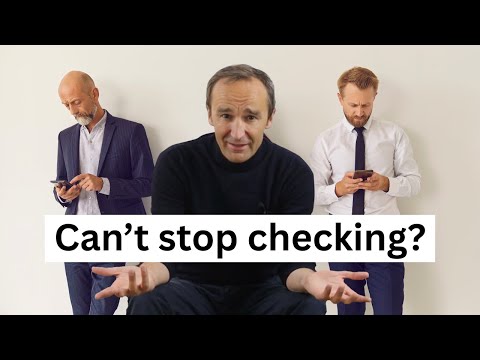
What you may be looking for when you reach for your phone
The same behavior can serve very different needs. A useful fix matches the reason for the check. Before changing settings, spend a day asking what you expected to find or avoid when you picked up the phone.
Notifications and badges train you to expect something new
A badge, banner, vibration, or lock-screen preview gives your attention a clear direction: there is something to resolve. Even after you have dealt with the alert, the expectation of another update can remain. You may then open the same app repeatedly even in silence.
Keep alerts that genuinely require prompt action. Turn off the rest, especially alerts whose only purpose is to invite you back into a feed. This is not about making yourself unreachable. It is about letting other people contact you without letting every app claim urgency.
Uncertainty, FOMO, and waiting make checking feel urgent
Waiting for a reply, a result, a delivery update, or news creates uncertainty. Checking promises a quick reduction in that discomfort. Fear of missing out works similarly: the feed presents itself as the place where something relevant may have happened while you were away.
Name the waiting period instead of repeatedly testing it. For example: “I will check messages at noon,” or “I am waiting for a reply, but I do not need to refresh for the next 30 minutes.” A defined next check gives your mind an endpoint.
Boredom and transition moments leave an opening for autopilot
Queues, lifts, kettle-boiling, arriving early, and the minute after finishing a task all leave a small gap. Your phone fills it quickly because it is available and familiar. The check is often less about wanting an app and more about not knowing what to do with an unstructured moment.
Stress, avoidance, and mental fatigue can turn a quick check into scrolling
When a task feels ambiguous, emotionally loaded, or tiring, a feed offers an immediate alternative. The relief is real in the moment, but it does not resolve the task. Returning then feels harder, which makes another check more likely.
Treat this as information. If you scroll whenever you open a document, the problem to solve may be the first step of the document, not social media alone.
Why checking your phone can feel hard to stop once it starts
Opening an app is a tiny action. Stopping asks for a different action at a moment when the next post, message, or video is already available. That imbalance matters. A vague limit also leaves room for constant renegotiation: one more minute, one more refresh, one more clip.
Apple Screen Time is a practical starting point for reporting pickups, notifications, app and website use, plus time allowances and schedules. With Share Across Devices enabled, Apple says settings, schedules, time allowances, and usage data can synchronize across signed-in iPhone, iPad, and Mac devices. But self-managed controls remain editable in Settings. If you regularly override a limit in the moment, add friction before the app opens rather than asking a timer to carry the whole burden.
Find your personal checking pattern before trying to fix it
For three days, do a brief check-in rather than trying to monitor every minute. Each time you notice an automatic reach, record the time, what happened immediately before it, the app you opened, and how you felt afterward. You are looking for repetition, not perfect data.
Separate intentional checks from automatic checks
An intentional check has a purpose: reply to a colleague, look up an address, call someone, or use a ticket. An automatic check starts with no stated purpose and often ends somewhere unrelated. Keep the first category useful. Focus your changes on the second.
Look for the cue that happens just before the reach
Common cues include finishing an email, feeling stuck, waking up, eating alone, hearing a notification, or sitting down to work. Write the cue in plain language. “After I send something difficult” is more actionable than “I check too much.”
Check whether an app is opening itself or you are opening it on autopilot
Sometimes the concern is literal: an app appears to launch or surface itself. Other times, your thumb is following a learned home-screen path. Test this by placing the app away from its usual position for a week. If the pattern changes, the familiar location was part of the cue. For practical troubleshooting, read how to stop apps from opening automatically on iPhone.
Use the smallest intervention that matches the reason you are checking
Start with one pattern, not every habit at once. The right intervention should make the unwanted check less automatic while keeping necessary communication and useful phone tasks available.
For notification-driven checking, reduce cues and create reply windows
Remove badges and nonessential alerts from the apps that pull you in. Then choose one or two reply windows for messages that do not need an immediate answer. Tell close contacts how to reach you for genuinely urgent matters, so you do not need to monitor every channel continuously.
For task avoidance, make the next work action easier than opening an app
Reduce a difficult task to an action that takes less than two minutes: write the heading, find one source, open the spreadsheet, or draft the first sentence. Put that action on paper before you start. A specific next move competes better with the lure of a quick check than a broad instruction to “focus.”
For boredom and transition checks, prepare a replacement that fits the moment
Choose replacements that are as easy as the phone check: look out the window, take ten slow breaths, stretch, refill water, or read one page of a book already nearby. The point is not to turn every spare minute into self-improvement. It is to give the gap another shape.
For bedtime checking, change the environment instead of negotiating while tired
Set a charging place outside arm’s reach before the evening gets late. Use a separate alarm if that makes the phone easier to leave there. Decide what your last phone task is, then do it before getting into bed. Tiredness is a poor time to bargain with an infinite feed.
You can also make the device less inviting without losing its practical functions. These ideas for making your phone boring without making it useless are especially useful for home screens and habitual evening use.
Add a pause before social apps instead of relying on an easy-to-ignore limit
A pause changes the decisive moment. Rather than discovering a limit after you are already scrolling, you meet a question before the app opens: is this what I mean to do? That moment is enough to interrupt many automatic checks.
ScreenZen is one free option for this approach. It can delay selected apps or websites, lengthen the delay after repeated opens, and support short access windows, goals, daily limits, schedules, and strict blocks. Its US App Store listing shows optional tips of exactly $5, $10, $20, and $40, while the app is donation-supported rather than subscription-gated. Read this practical ScreenZen comparison if you want to assess its particular style of friction.
AppBlock is another option if you want rules and stricter restrictions. On iOS, its free tier caps Quick Block at 4 hours, schedules at 2, usage limits at 30 minutes/day, and Strict Mode at 12 hours.
Pick a delay-based social media blocker when your main problem is repeated opening. Pick a scheduled blocker when certain times, such as work hours or late evening, are the problem. The best app blocker for iPhone is the one that interrupts your actual cue without blocking the communication you need.
Mado for turning an automatic app open into one deliberate 15-minute choice
Mado is a screen time app for iPhone users who are tired of overriding conventional limits and want a clear decision before opening distracting apps. It places a calm pause screen in front of selected apps. You either close the app or choose a 15-minute session from your daily cap.
Its published rhythms provide exactly 3, 2, or 1 sessions per day, and each session is 15 minutes. That makes Mado a good screen time alternative for someone who wants to reduce doomscrolling through deliberate, bounded access rather than total abstinence. Once the day’s sessions are used, the protected apps remain paused until midnight.
Mado also separates app access from focused work. Its Deep Focus blocks run from 15 minutes to 4 hours, and with the lock enabled, the timer cannot be ended early. Use that deep focus timer for a study block or a work session. Use the daily sessions for intentional leisure. Its insights, streaks, milestones, and garden are there to show progress, not to shame a difficult day.
Create a pause before your next automatic check
Mado gives selected apps a clear 15-minute choice, so opening them becomes deliberate rather than reflexive.
Make checking less convenient without making your phone unusable
Use friction selectively. Keep maps, banking, authentication, transport, camera, and essential communication easy to reach. Put the greatest friction in front of the two or three apps where “just checking” reliably becomes lost time.
- Move habitual social apps off the first home screen and out of the dock.
- Sign out of one service if the extra step feels proportionate to the habit.
- Use a scheduled protection window for your first hour of work or last hour before bed.
- Keep a focused phone layout for work and a separate place for leisure apps.
- Review the pattern weekly, then adjust one setting rather than rebuilding your whole system.
If you are choosing tools primarily for awareness, start with an iPhone app usage tracker that actually helps. If awareness alone has not changed the habit, choose friction that appears at the point of opening.
Respond to slips without turning one check into an all-day scroll
You will sometimes open an app automatically or stay longer than planned. End the session at the next clear moment. Close the app, put the phone down, and return to the next small action in front of you. Do not wait for tomorrow, Monday, or a perfect reset.
Afterward, ask one practical question: what made that check easy? Perhaps the app was in the dock, a message made you anxious, or you had no defined next step in your work. Change one part of that setup. Progress is fewer automatic checks and quicker returns, not a flawless record.
When constant checking may need support beyond a screen-time tool
A digital wellbeing iOS tool can create useful boundaries, but it cannot address every reason you check. Seek support from a qualified health professional if checking is tied to intense anxiety, compulsive rituals, significant sleep disruption, conflict, or an inability to carry out daily responsibilities. Bring a short record of what happens before and after checking. It gives you something concrete to discuss.

If a partner’s phone behavior is worrying you, avoid diagnosing it from the behavior alone. Start with a calm conversation about what you observe, how it affects you, and what you need. A shared rule, such as phone-free meals or an evening charging spot, is more constructive than surveillance.
Frequently asked questions about constantly checking your phone
How do I stop obsessively checking my phone?
Choose one app and one cue to work on first. Turn off nonessential alerts, move the app away from your first home screen, and add a pause or blocker before it opens. Set a specific replacement for the usual moment, such as water after sending an email or a short walk after lunch. Review what triggered each automatic check, then adjust the environment rather than relying on self-criticism.
Is constantly checking something OCD?
Constant checking by itself does not establish OCD. Phone checking can be a learned habit, a response to boredom or uncertainty, or a way to avoid a difficult feeling or task. If checking feels driven by distressing thoughts, rigid rituals, or anxiety that is difficult to manage, discuss it with a qualified health professional rather than trying to diagnose yourself from a single behavior.
Why is constantly checking your phone bad?
The main cost is that automatic checks fragment the moments you intended to use for rest, conversation, sleep, or focused work. They also make it harder to tell whether you are using the phone for a purpose or simply responding to a cue. The aim is not zero phone use. It is being able to choose when you use it and stop when you mean to.
Why does my husband keep checking my phone?
If you mean he keeps checking his own phone, the reasons may range from work and communication to habit, worry, boredom, or avoidance. Ask at a calm time what is happening for him and explain the effect on you without accusation. If you mean he is checking your phone, set a clear privacy boundary and discuss consent directly. Repeated access to your device without permission is a relationship issue, not a screen-time setting problem.


